Launching the New Online Booking Tool at Groundworks for Homeowners
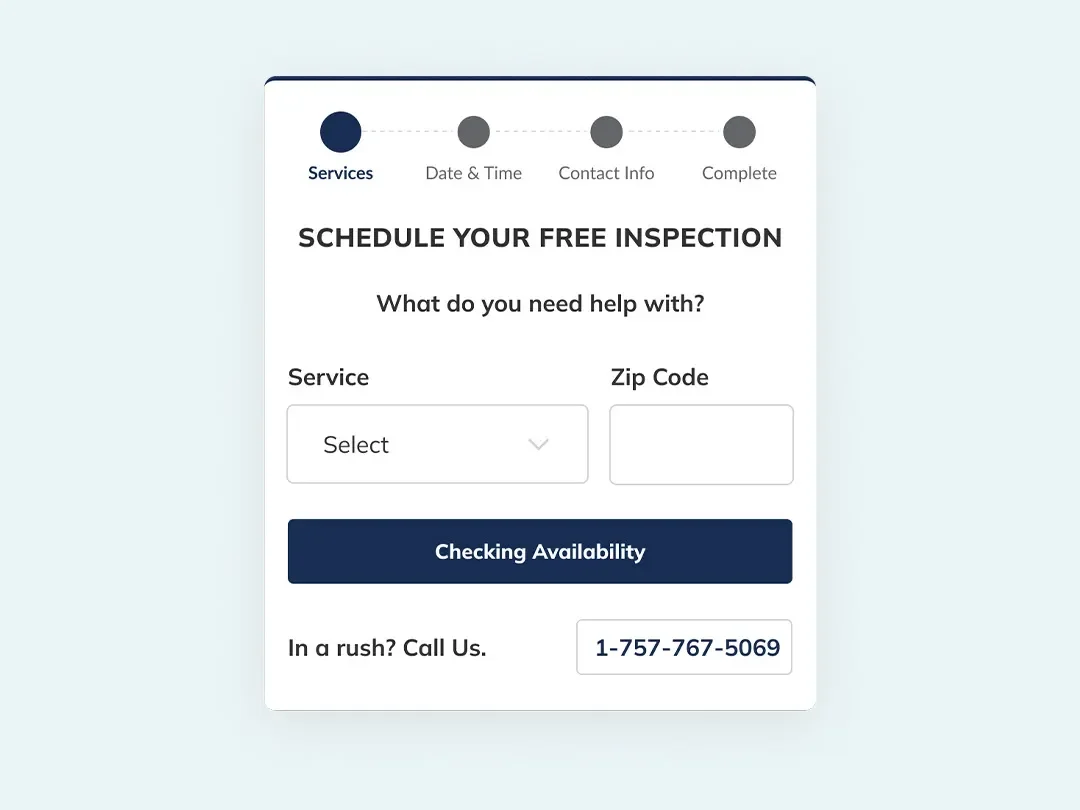
Designed a scalable online booking experience for 25+ brand websites under Groundworks to streamline scheduling, reduce manual follow-ups, and increase lead conversion through a clear, step-by-step interface.
Role - Lead User Experience Designer
Timeline - Q4, 2022
Project Type - Responsive UX, Conversion Optimization
Tools - Figma, Microsoft Excel, UserTesting, WordPress
Impacting Areas - Brand Trust, Scheduling Efficiency, Lead Conversions, Internal Operations
Project OverviewAt Groundworks, I led the design of an Online Booking Tool to streamline appointment scheduling for foundation repair and waterproofing services across multiple national brands. The original workflow relied on outdated booking links and manual scheduling follow-ups, creating friction and drop-offs. I made a centralized, step-by-step interface that improved clarity, increased conversion, and reduced operational burden.
The ProblemHomeowners visiting brand websites were often confused or delayed when trying to schedule a free inspection. The booking experience:
Relied on outdated or static calendar links
Was inconsistent across 25+ brands
Required follow-up calls or emails from internal teams
Caused lost leads and decreased scheduling efficiency
Key issues included:
Frustrating or unclear user flows
Lack of real-time feedback or confirmations
Fragmented experience between selection and confirmation
Key InsightsA single, guided booking tool, embedded directly in brand websites to help homeowners confidently schedule appointments while reducing manual intervention from internal teams.
By designing a consistent and streamlined experience, we could eliminate confusion and increase booking success.
Solutions ImplementedStep-by-Step Booking Flow
I designed a 5-step user interface where visitors could:
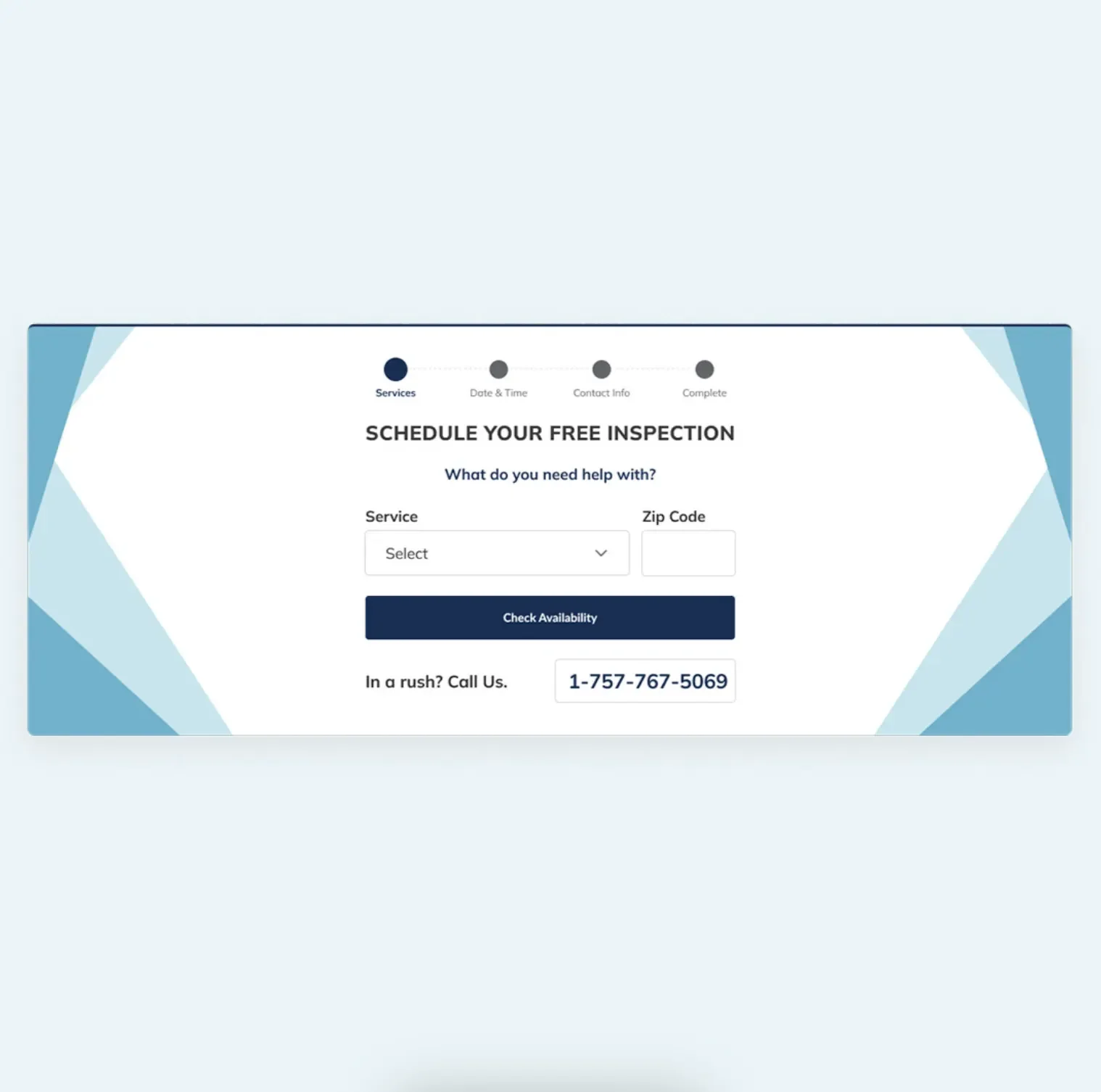
Select their service type
Enter location details
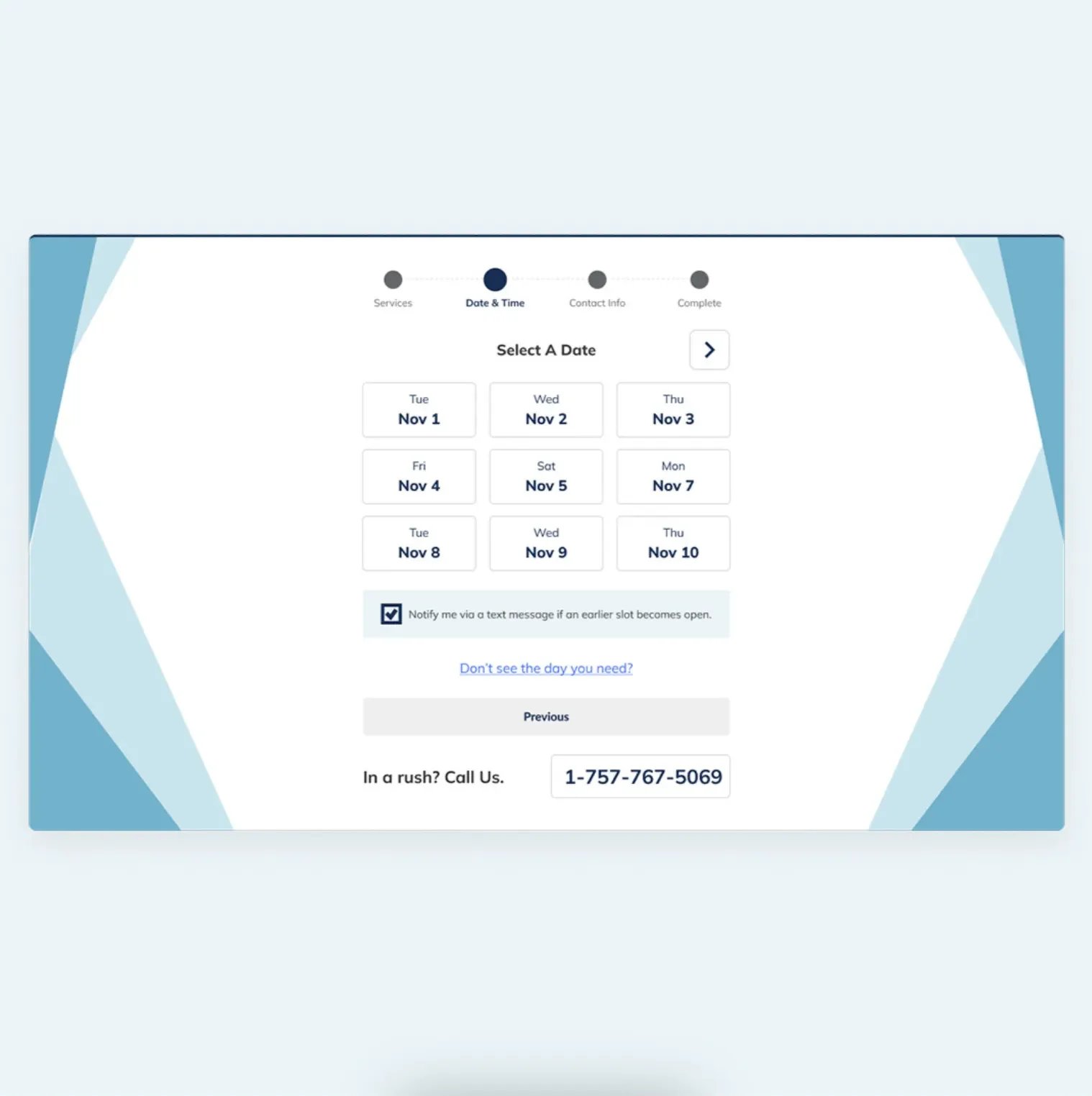
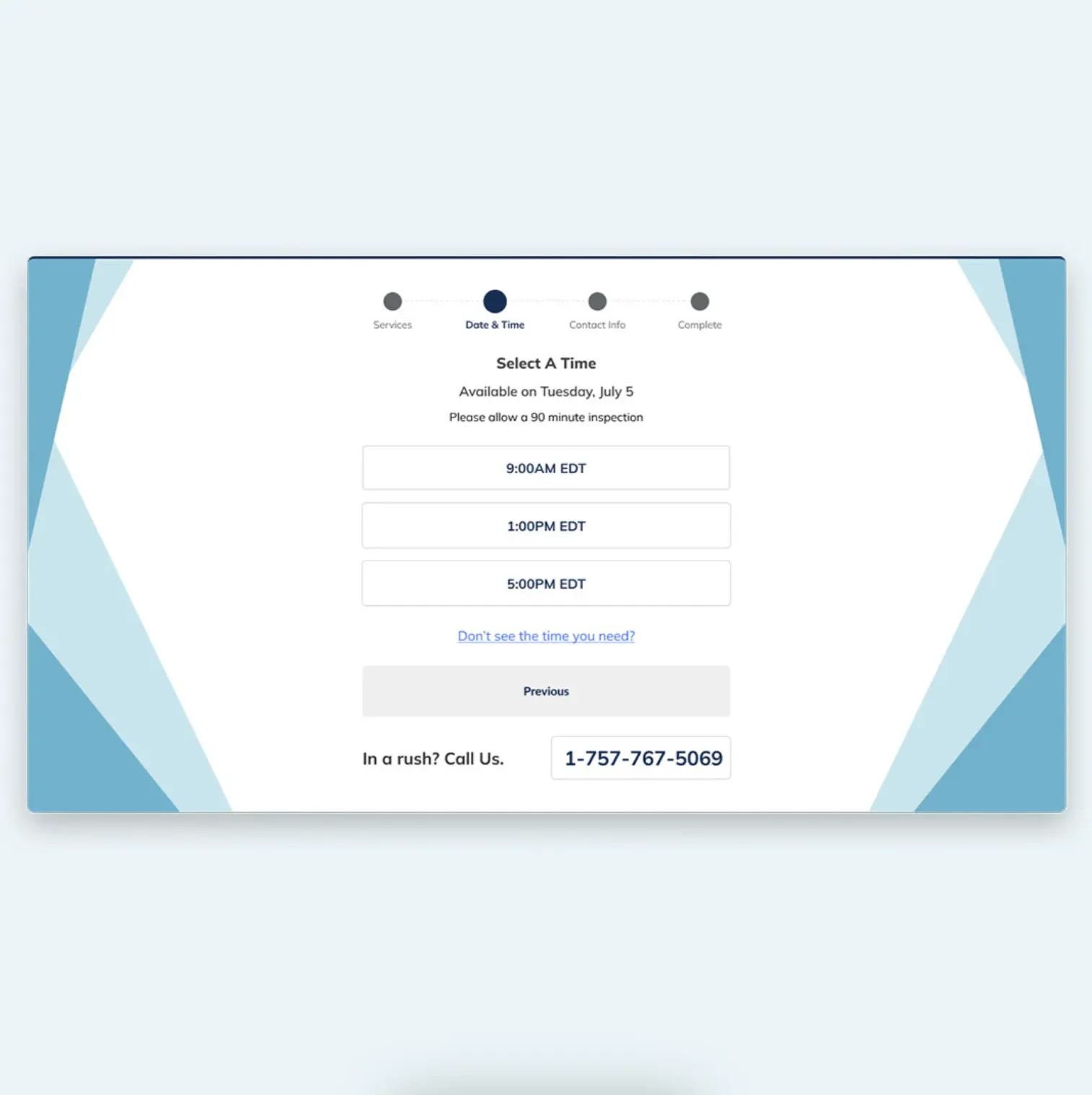
Choose an available date/time
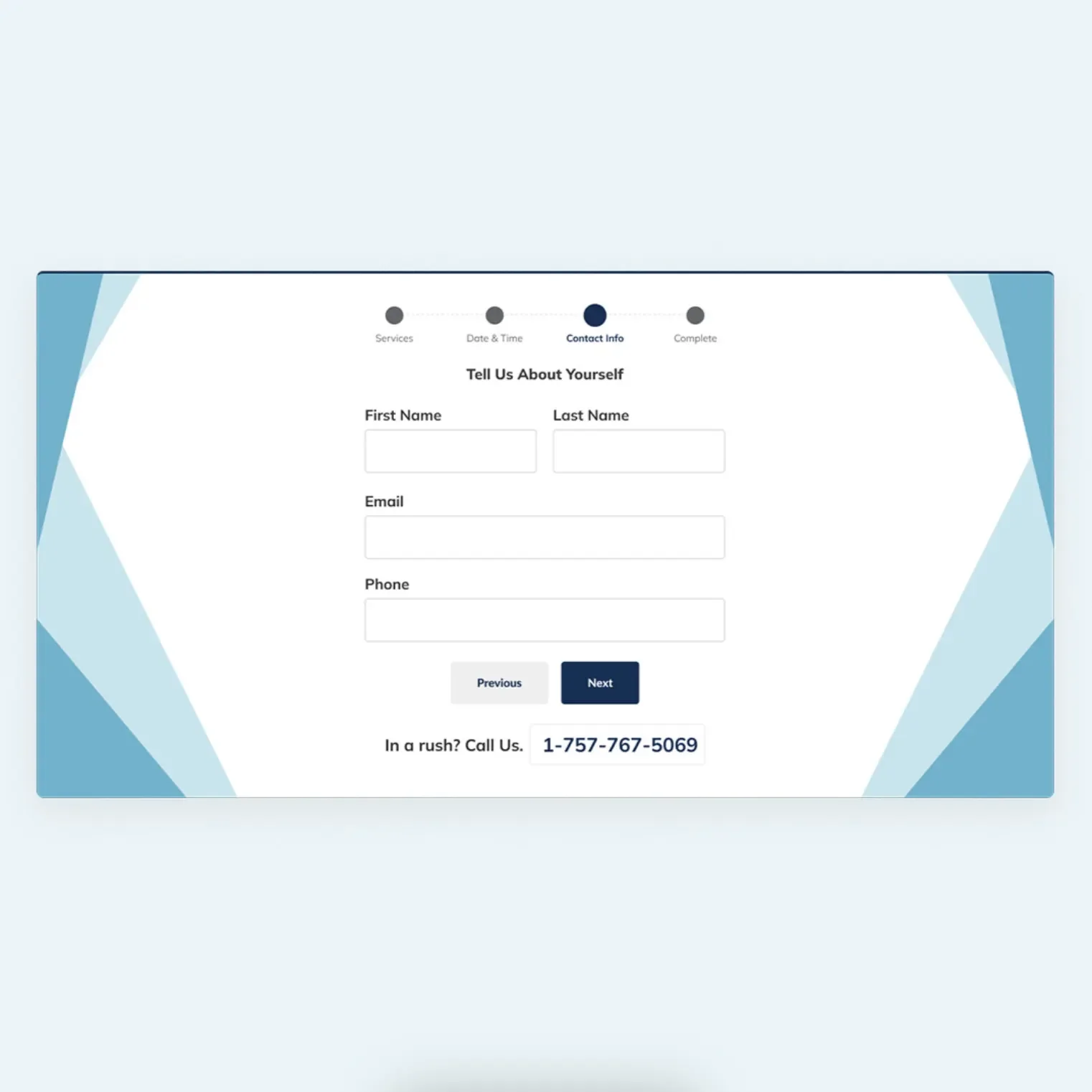
Enter their contact information
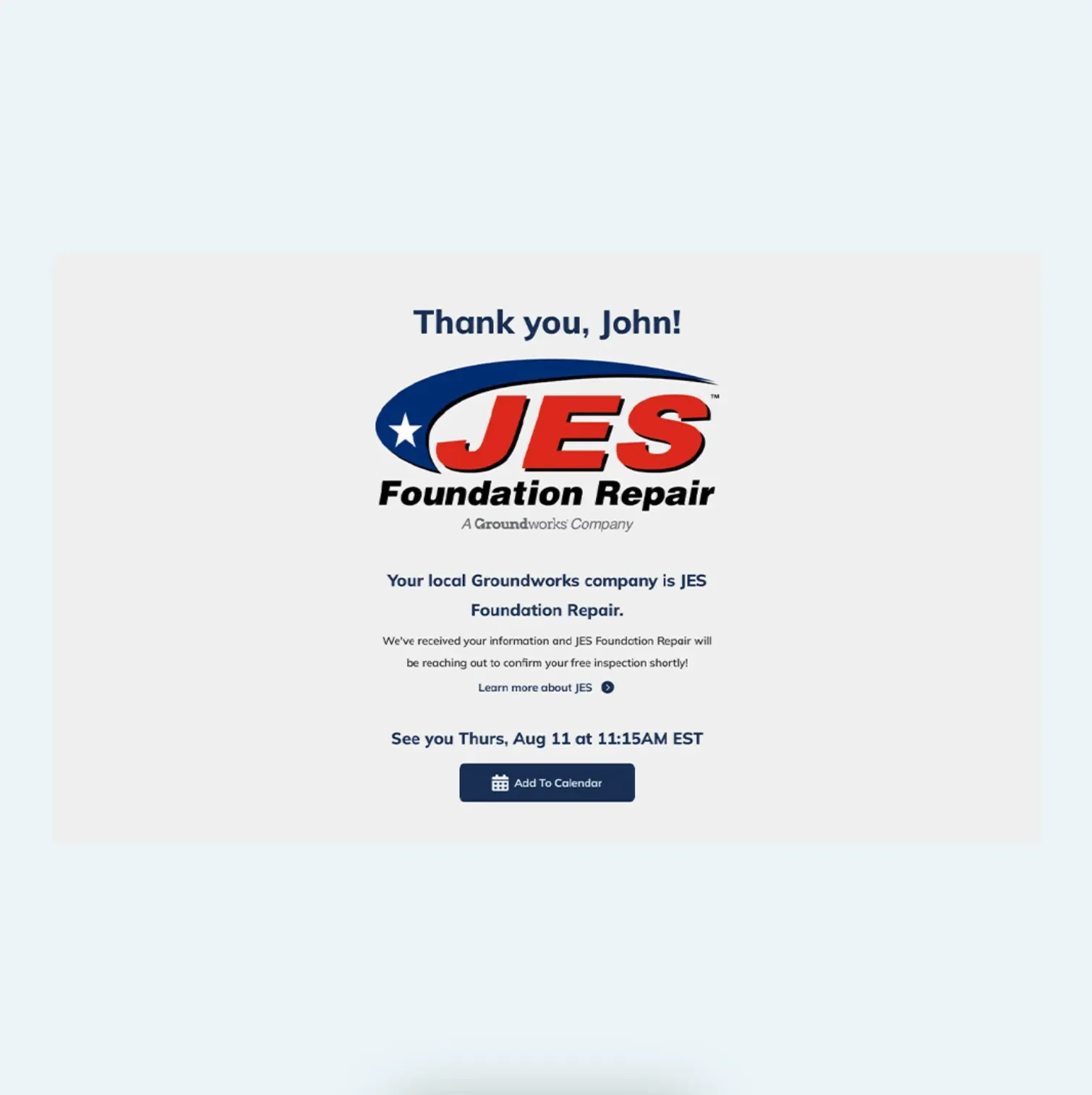
Confirm appointment — with a success message and follow-up
Simplified UX
Used Figma to design wireframes and flows
Built intuitive navigation using progressive disclosure
Ensured clear CTAs and language alignment across all steps
Internal Testing & Iteration
Collaborated with internal departments for input
Tested prototypes with internal users
Iterated based on feedback before the development handoff
ResultsBooking Drop-offs
Before
High, due to unclear or broken calendar links
After
Reduced with a step-by-step guided flow
User Confidence
Before
Low, unclear if appointments were confirmed
After
Higher trust via confirmation screen; The confirmation page helped increase confidence and reduce uncertainty around whether the appointment was successfully submitted.
Lead Follow-up Volume
Before
High manual effort required
After
Decreased due to complete self-service
UX Consistency
Before
Inconsistent per brand site
After
Unified, scalable booking experience
Click to View Prototype
-
![]()
Select a service, enter zip code
-
![]()
Select a date
-
![]()
Select a time
-
![]()
Provide contact information
-
![]()
Confirmation
-
![]()
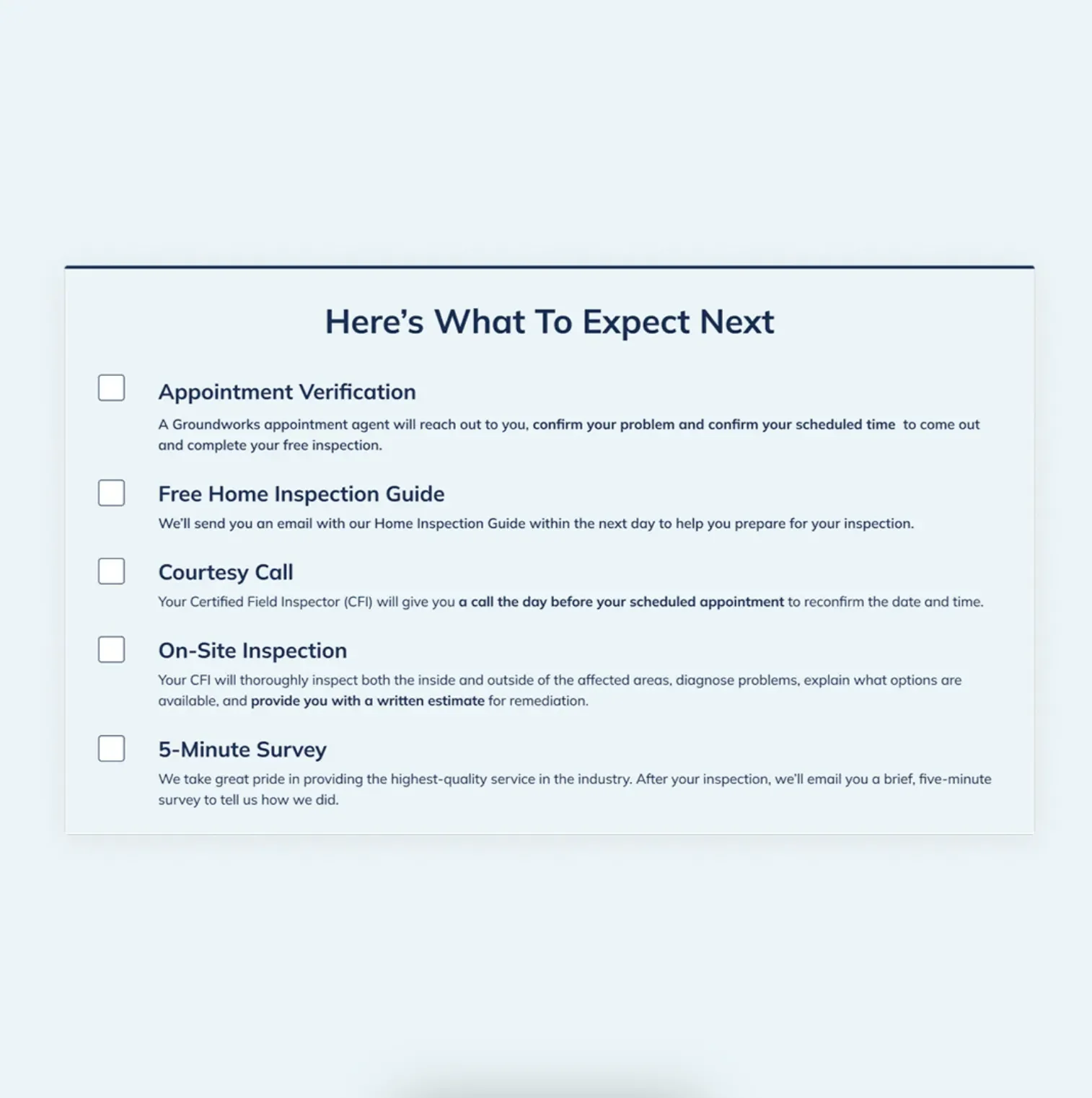
Next steps checklist
-
![]()
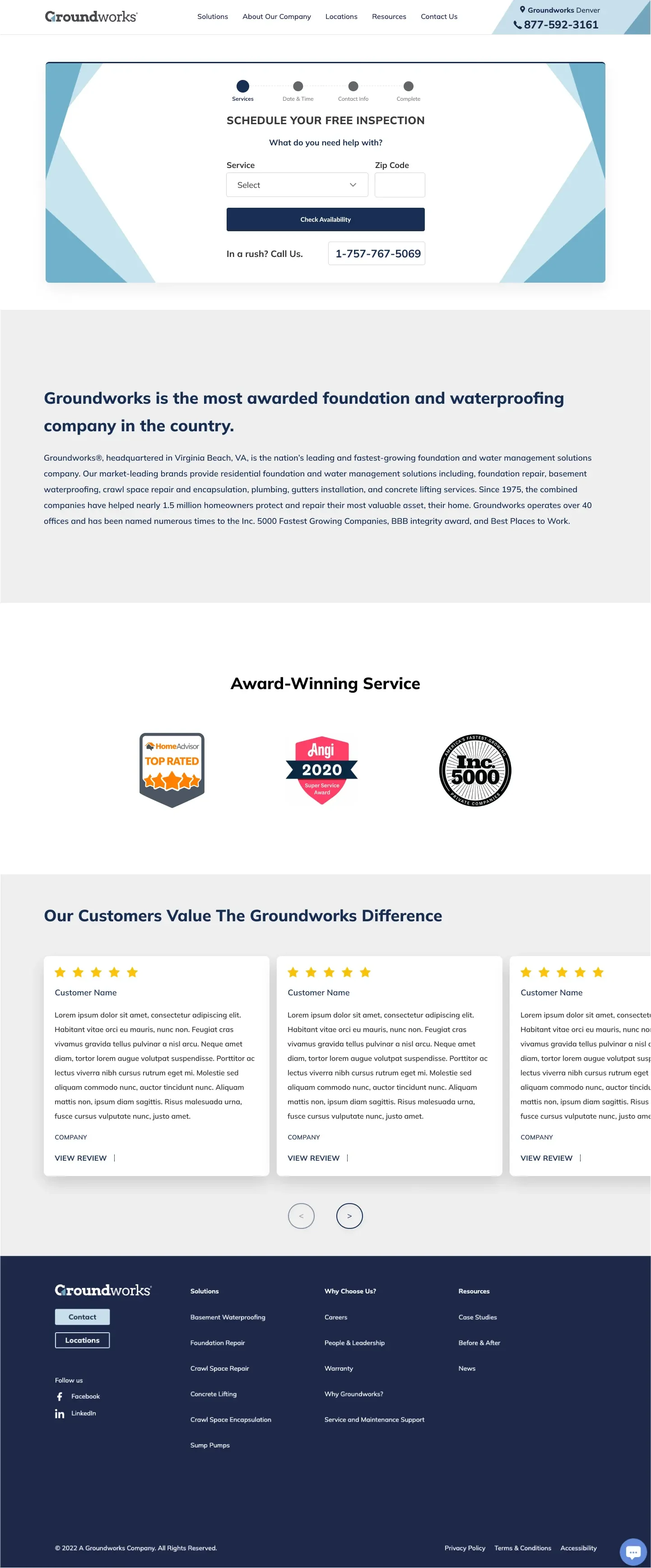
Application on the webpage
ReflectionDesigning this tool revealed how small friction points in conversion funnels can lead to significant operational and brand-level issues. By streamlining and simplifying the appointment scheduling process, we implemented a solution that scales across brands and delivers value to both homeowners and internal teams.
What I'd do differentlyAdd optional feedback collection post-booking
Explore real-time availability syncing or waitlist logic (if necessary); Discussed with developers, but difficult to implement.
Integrate automated reminders via SMS or email to the user’s scheduled appointment